
100Mbps Ethernet HD Extender
One cable run. HD where you need it. This design carries HD audio/video over 100Mbps Ethernet, with bidirectional keyboard/mouse, TX loop-out, and one-to-many / many-to-many deployment on the same LAN.
The transmitter accepts an HD source and sends it over Ethernet to a receiver that drives the remote display. Complements the wireless extender page—this page covers wired 100Mbps Ethernet extension only (no Wi-Fi video link).
Highlights
1080P @ 60Hz · 100Mbps Ethernet · up to ~200 m over cable · one-to-many (via switches) · plug-and-play
1. Hardware and PCBA
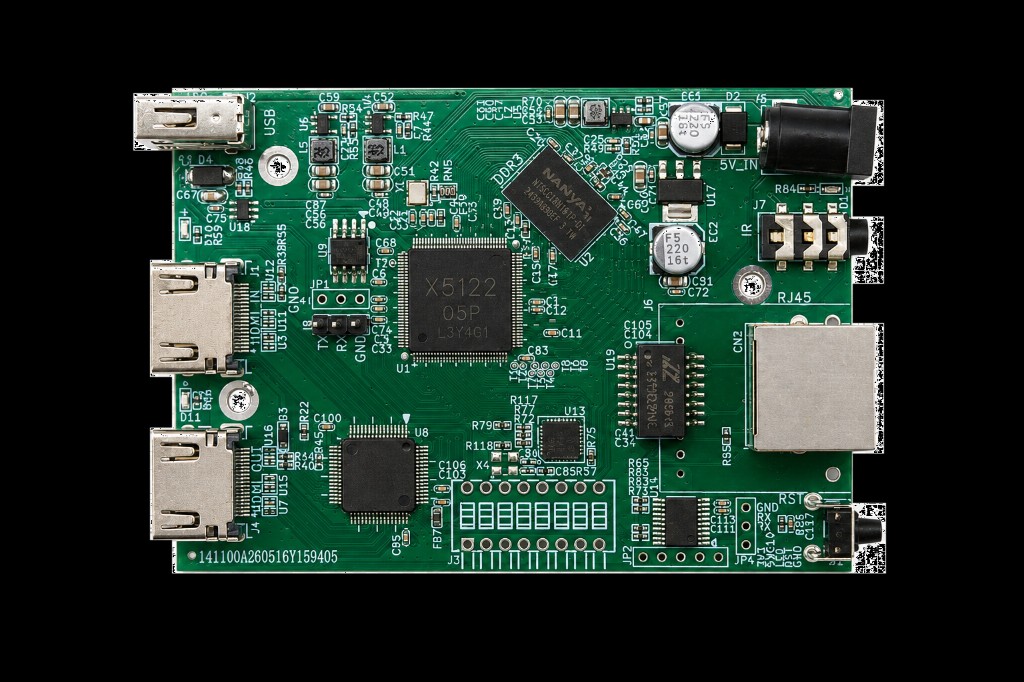
TX: HD input, HD loop-out, 100Mbps Ethernet (RJ45), USB keyboard/mouse, IR, and 5V power.
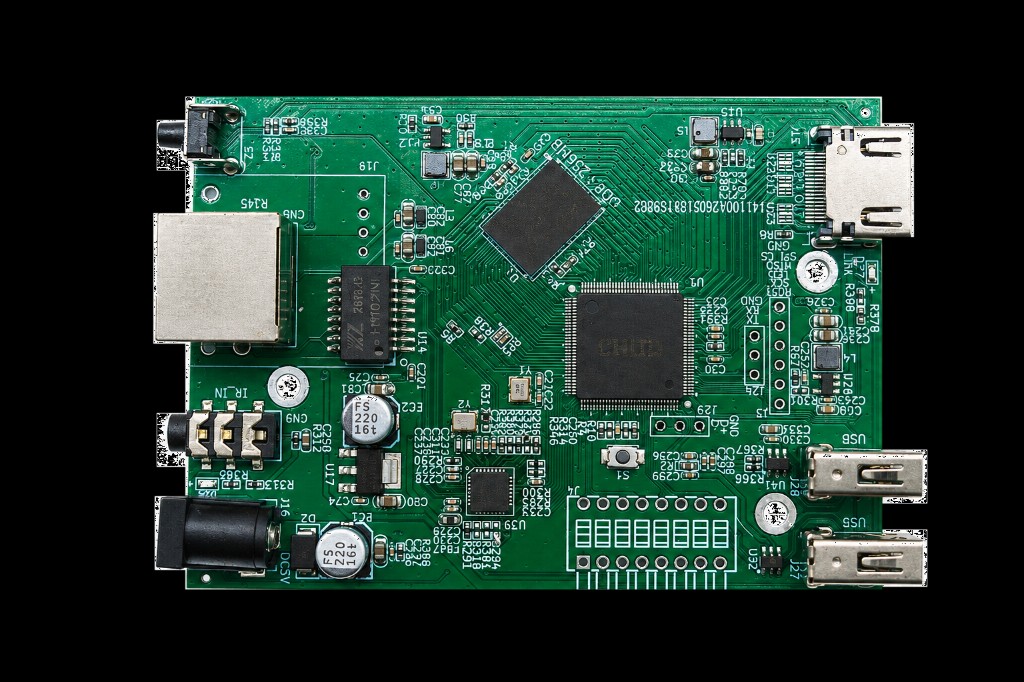
RX: 100Mbps Ethernet, HD output, dual USB keyboard/mouse, IR input (IR_IN), and 5V power.
2. System topology
| Block | Interfaces and roles |
|---|---|
| Transmitter (TX) | HD input; HD loop-out for local monitoring; 100Mbps Ethernet (RJ45); keyboard/mouse and IR return channels |
| Receiver (RX) | Ethernet input; HD output to the remote display; keyboard/mouse and IR back to the source side |
| Networking | Point-to-point, one-to-many through a switch; multiple one-to-many and many-to-many groups on the same LAN |
Point-to-point
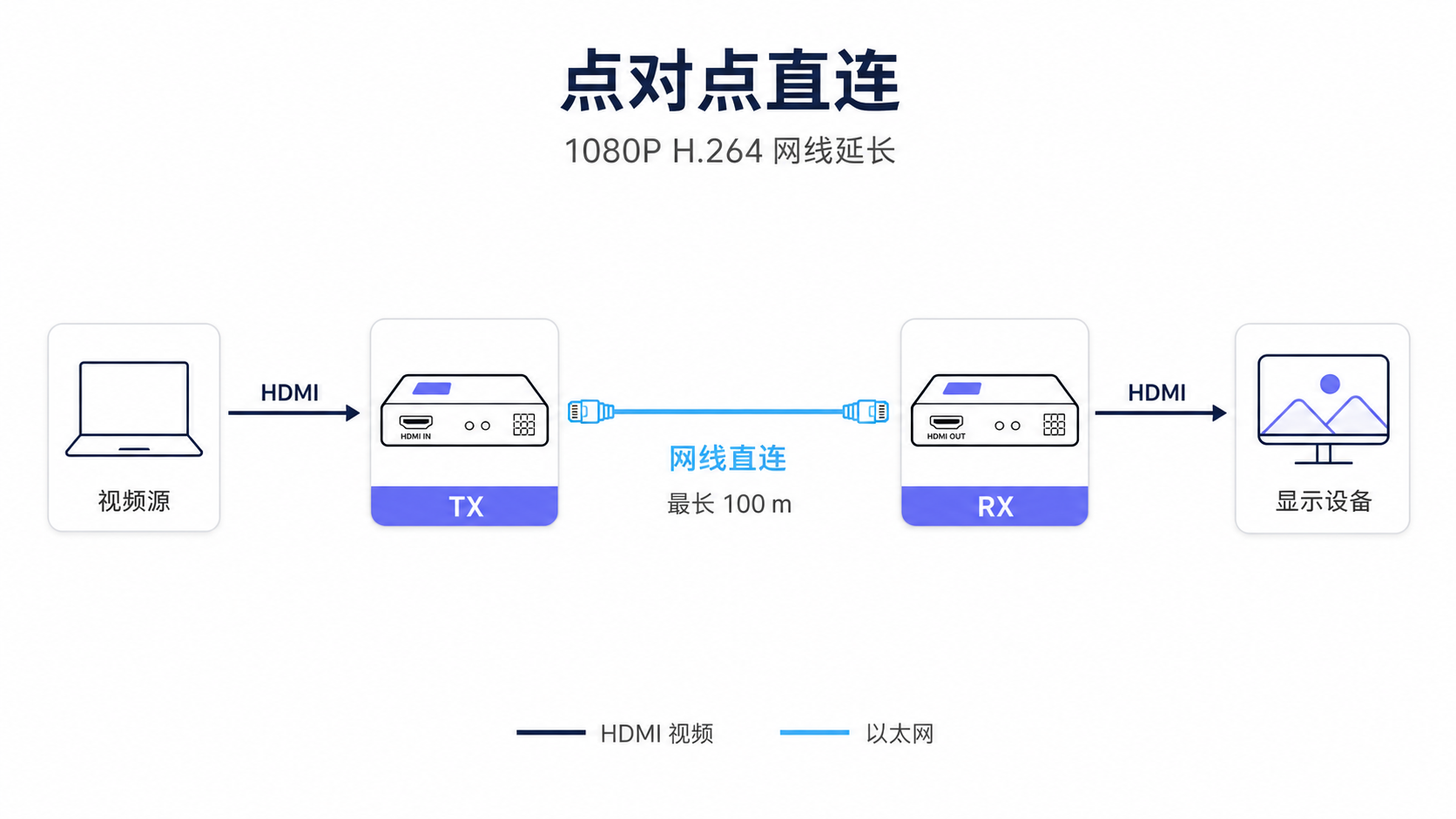
Source through TX, direct cable to RX, remote display plus keyboard/mouse and IR return.
One-to-many via switch
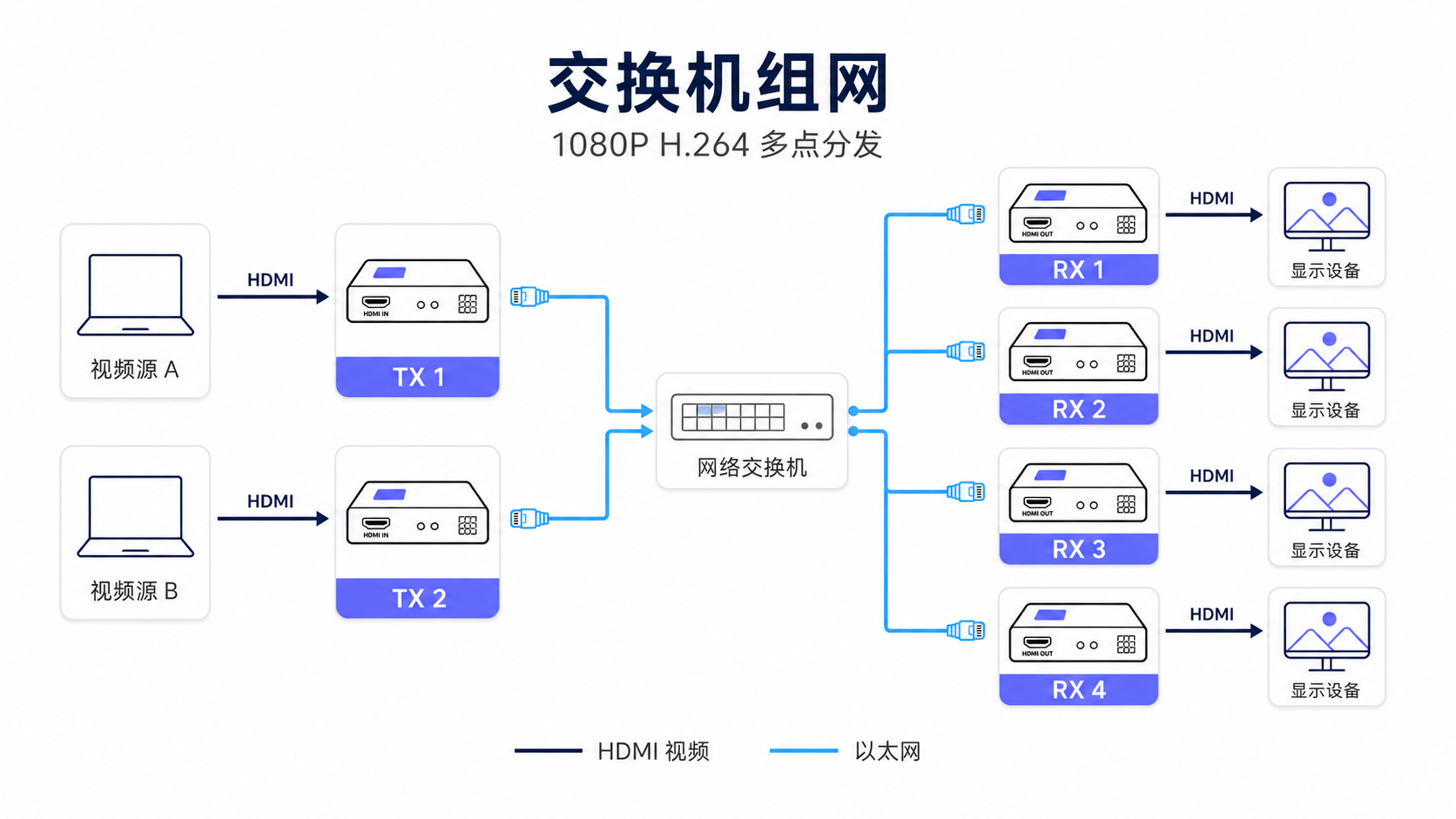
One TX distributes to multiple RX units through a switch for one-to-many and LAN-scale deployment.
3. Key features
- Extend HD video over Ethernet cable for up to about 200 m (depends on cable, switches, and environment).
- Up to 1080P @ 60Hz (
1920 × 1080). - Supports timing and EDID capabilities aligned with HD 1.4.
- One-to-many operation; can traverse an Ethernet switch.
- IR pass-back for remote control of the source device.
- One local HD loop-out on the TX for on-site monitoring and installation debug.
- Synchronized audio and video.
- Automatic display mode detection and configuration.
- Built-in auto equalization for stable pictures.
- Built-in ESD protection.
- Plug-and-play—no complex setup.
Bidirectional keyboard and mouse
USB keyboard and mouse at the receiver can be passed back to the source side, together with IR return—suited to meeting rooms and exhibit halls (exact protocols and channel count depend on production firmware).
Multiple groups on one LAN
Deploy several extension links on the same LAN: each supports one-to-many; multiple groups can run many-to-many in parallel for distributed signage (plan switch bandwidth and topology accordingly).
4. Use cases
| Scenario | Notes |
|---|---|
| Meeting / exhibit | Source in a rack; remote display over Ethernet; loop-out for local check |
| Distributed signage | One-to-many through switches to multiple displays |
| Rack / telecom room | Long HD runs plus KVM return with less field cabling |
| Education / capture | Stable wired link for fixed installs |
5. Specifications
| Item | Detail |
|---|---|
| Medium | 100Mbps Ethernet (cable); switch-friendly |
| Max distance | ~200 m over cable (field-dependent) |
| Max resolution | 1920 × 1080 @ 60Hz |
| Protocol | HD 1.4 related capabilities |
| Topology | Point-to-point; one-to-many; many-to-many on one LAN |
| TX | HD in + HD loop-out + 100Mbps port |
| RX | 100Mbps port + HD out |
| Return path | IR; bidirectional keyboard/mouse |
| Audio | Synchronized with video |
| Display modes | Auto detect and configure |
| Equalization | Built-in auto EQ |
| Protection | Built-in ESD |
| Operation | Plug-and-play |
Range, latency, and stability depend on cable quality, switches, interference, and endpoints. Final production specs prevail.
6. Engagement
We can supply PCB design, chipset kits, and product SKUs customized for connectors, loop-out, return paths, enclosures, and network scale.
Contact via doc.ultrasemi.com for materials, sample evaluation, and quotes.